Telegram Connect - Seamless conversations with Telegram
With Telegram Connect, all your Telegram conversations will be synchronized in one place, sending/receiving messages directly within SOC Connect, quickly - seamlessly.
Download the app now!
Surely all of us have at least 2 to 3 chat applications on our phones.
Have you ever felt annoyed having to open multiple applications just to stay connected with everyone - from friends, colleagues to customers - across different platforms?
How great it would be if all those conversations could be grouped in one place, allowing you to send and receive Telegram messages directly within the SOC Connect app, without having to jump between separate platforms.
✅ This is entirely possible with Telegram Connect, a smart bridge that synchronizes all your Telegram conversations to SOC Connect instantly.
👉🏻 To connect Telegram to SOC Connect, you just need to:
1️⃣ Open the SOC Connect app.
2️⃣ Click on the pen icon in the lower right corner and select “Start Chat”.
3️⃣ Type “@telegrambot” followed by a colon and your server address in the search bar, then click the plus sign.
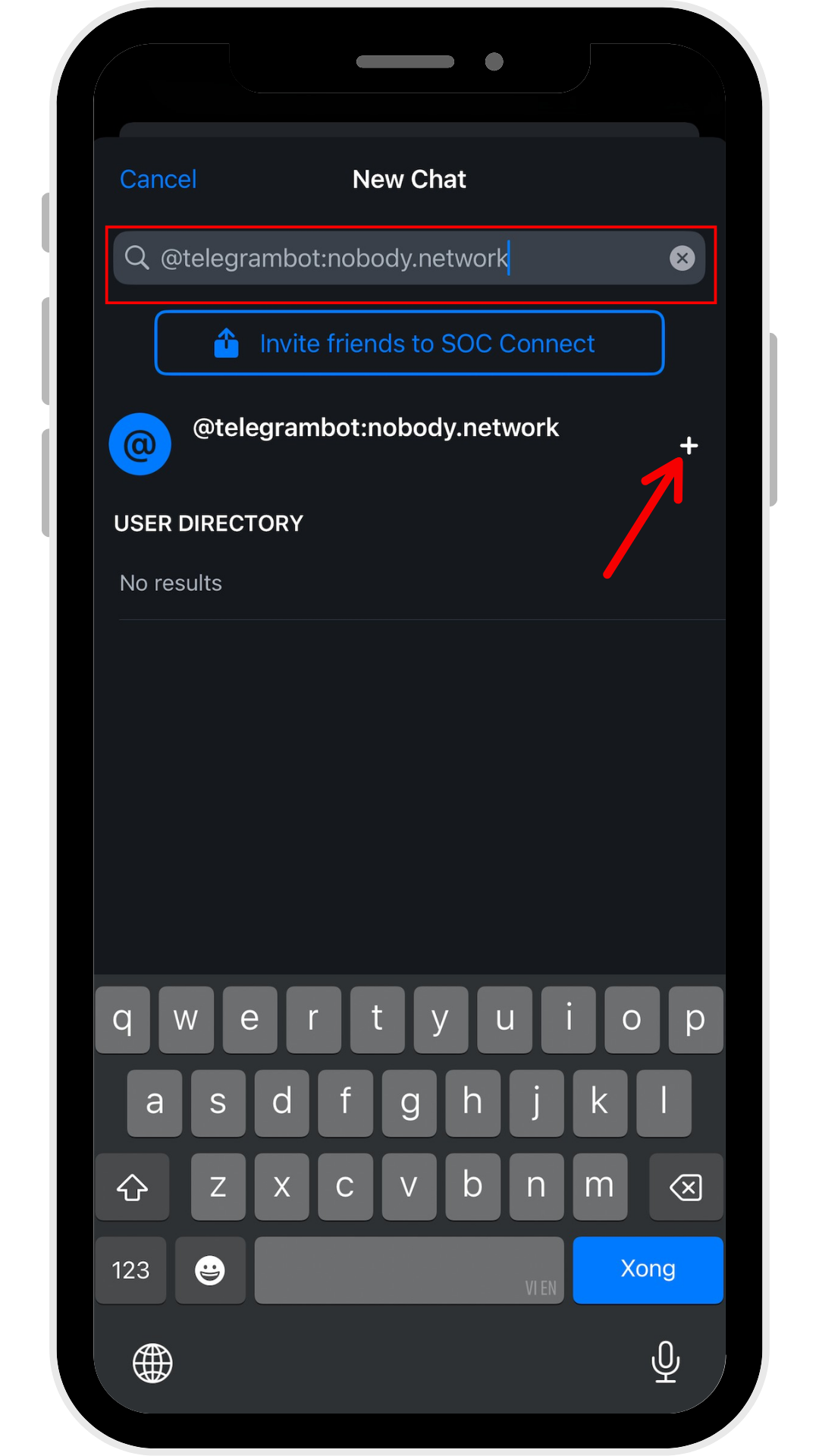
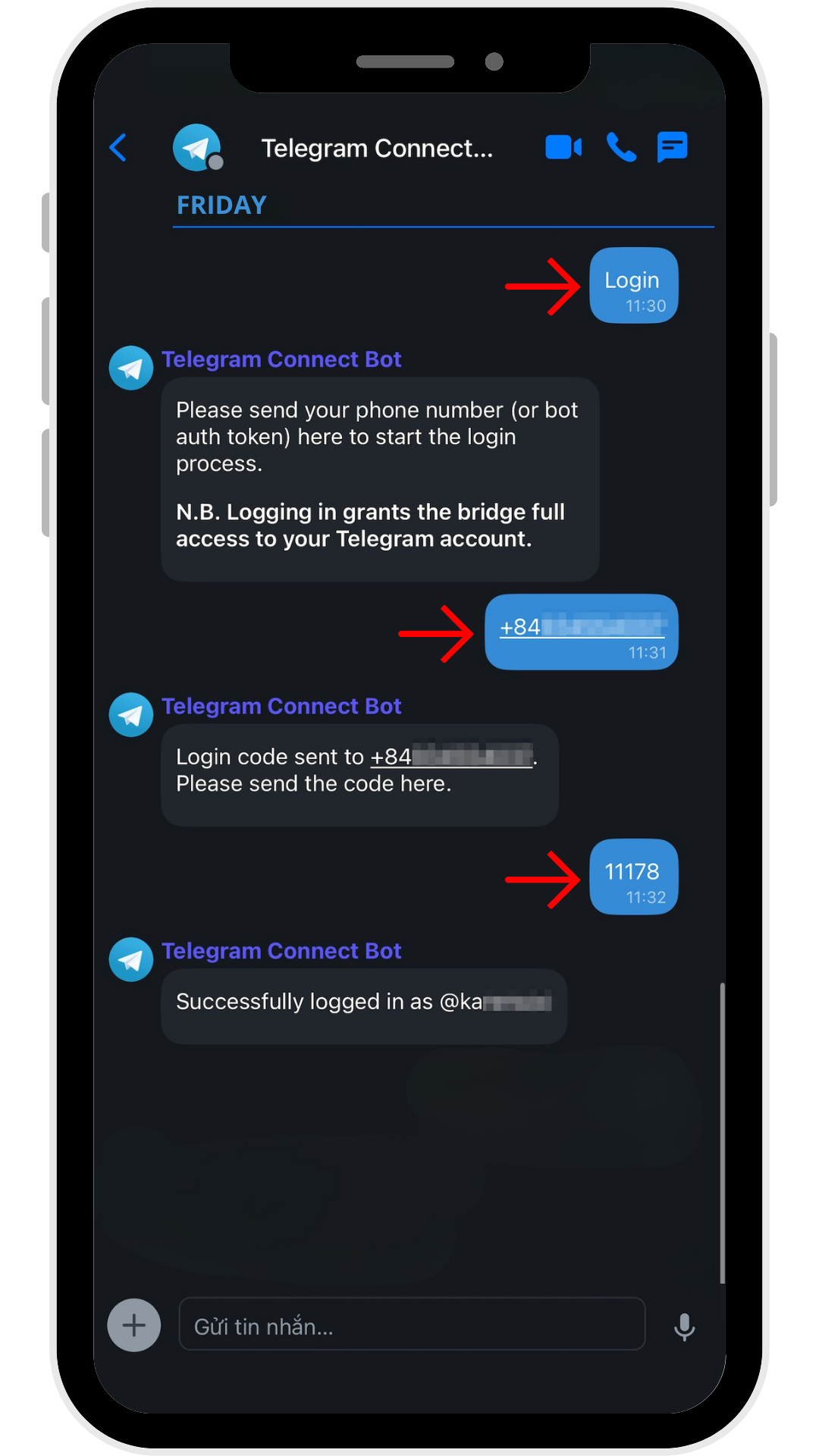
4️⃣ Click “Start” to open a new conversation with the Bot.
5️⃣ Type “login” → Send your registered Telegram phone number, including the +84 country code → send the OTP from the Telegram app to confirm the connection process.
6️⃣ Once completed, you will see a “Invite” prompt appear just below the search bar, click on it and “Accept” to join all the synchronized dialogues from Telegram.
👉🏻 Just 3 simple messages with the Bot, all your Telegram conversations will appear immediately in SOC Connect, all grouped in one single space - convenient and synchronized instantly.
❌ However, conversations that have end-to-end encryption (Secret Chat) on Telegram cannot be synchronized to SOC Connect.
👉🏻 The reason is that the decryption keys only exist on the device and within Telegram's system, so even you do not truly have absolute control. In other words, the key is in their hands - not in yours.
SOC Connect is different!
We do not hold your key, there is no way to access your data, because all control belongs to you - where it should rightfully be.
So why hesitate?
Don't let your conversations be fragmented - just activate the connection, and Telegram and SOC Connect will operate seamlessly as a unified entity.
And rest assured!
You can completely disconnect Telegram from SOC Connect at any time - just type “logout” in the chat with the Telegram Bot.
SOC Connect - where all conversations converge, seamless and safer than ever!